This update focuses on improving the functionality of Hive Mind, making it easier and more convenient for you to access resources and knowledge. Below, you will find an overview of what has changed and what is new, to help you navigate the updated Hive Mind platform smoothly.
1. Updated Menu:
To make navigation easier, we’ve simplified and reorganized the main menu.
What’s changed and what’s remained the same?
Blog, Tools, and Courses are now grouped under a new drop-down section called “Resources.”
The Blog has been renamed to “Publications & Media.”
The URL stays the same: /blog.

2. New Features on Hive Mind
Search Tool with Filtering Results
You can now search Hive Mind resources and filter results to match your needs.
You can filter results by:
Format, Level, Topic.
This functionality makes it possible for you to quickly find the materials that are relevant to your scope of interest, work, or the Hive Mind thematic focus. Explore our platform and search for the most suitable content for you!
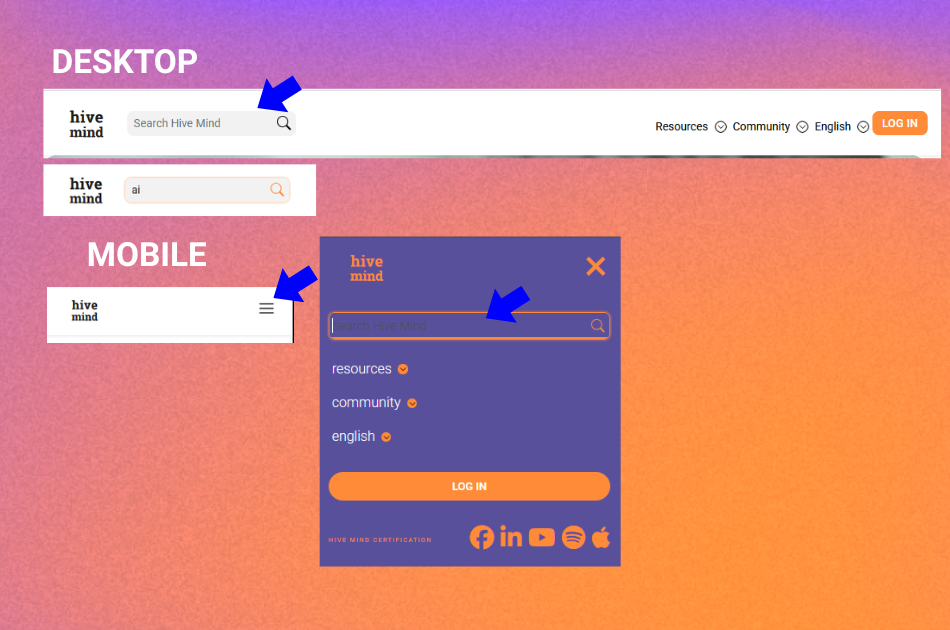
How to Use Search?
On the desktop, the search bar is located at the top left.
On mobile, you’ll find it inside the Menu section.
How to Filter Search Results?
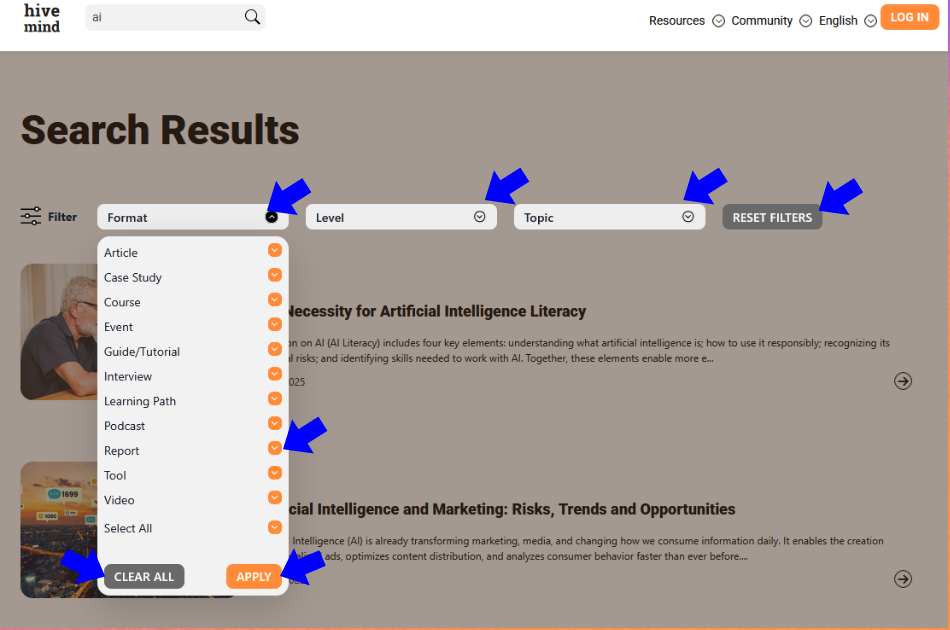
1. After running a search:
2. You’ll see a filter bar at the top of the results page.
3. Click on “Format”, “Level”, or “Topic” to open the drop-down list.
4. Select as many options as you need.
5. Click “Apply” to activate filters.
You can also:
1. Use “Select All”
2. Click “Clear All” within a filter to clear selections
3. Use “Reset filters” on the right side to remove all applied filters at once
This gives you full control over how you browse and explore Hive Mind.
Publications & Media: New Display and Filtering
We’ve enhanced the newly renamed Publications & Media section.
What's new?
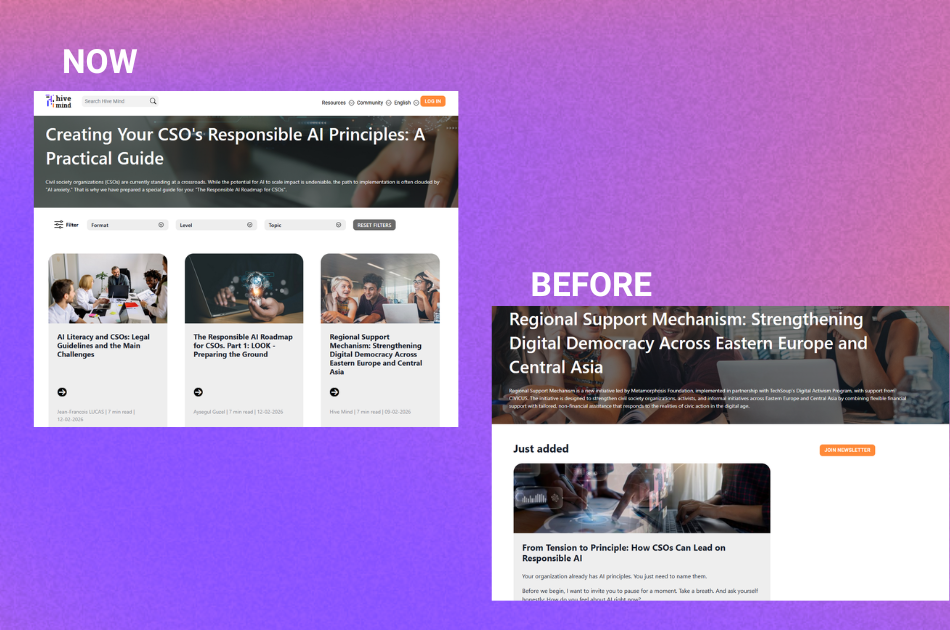
1. You can now filter content here using the same filtering system as in Search.
2. Content is displayed in a clean 3-post-per-row layout for easier browsing.
3. We’ve added pagination, so you can navigate smoothly:
“>” moves to the next page
“>|” jumps to the last page
These improvements make browsing more structured and user-friendly.
Share Your Feedback
We hope these changes make Hive Mind easier and more accessible. If you have suggestions, notice something that needs correcting - please let us know through the form below:

Your feedback helps us improve Hive Mind. We hope you enjoy using the updated features and exploring our high-quality materials.