What to do:
1. Go to Hive Mind.

2. Enter the email address you currently use for your Hive Mind account.
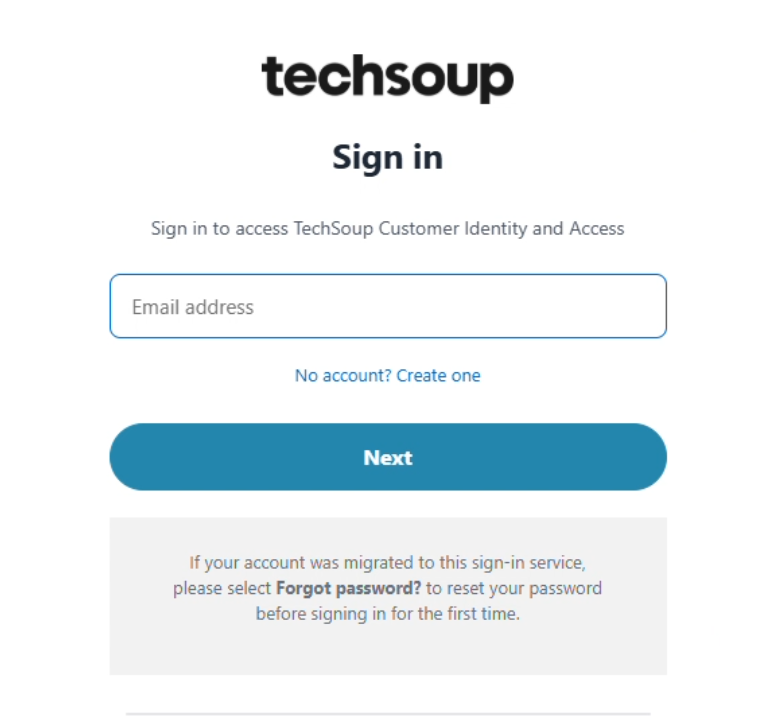
3. Select “Forgot password.”
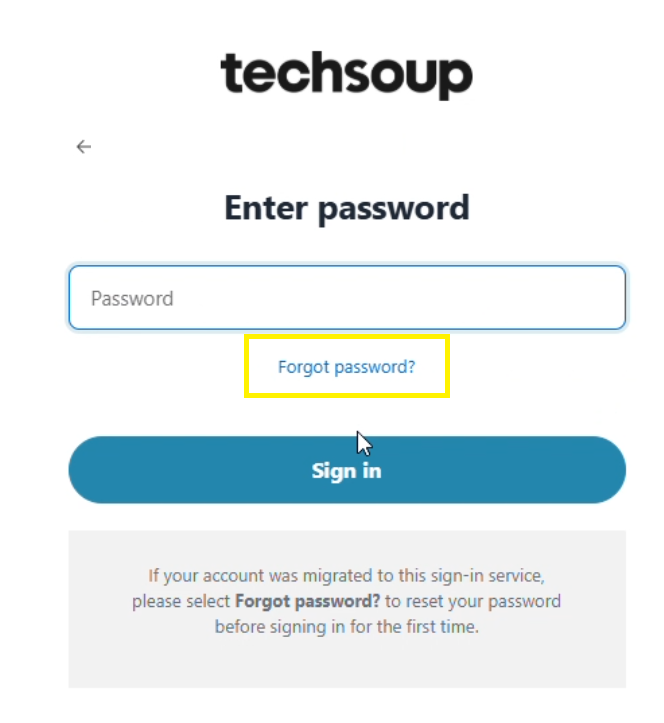
4. Check your inbox for a verification code or password reset message.
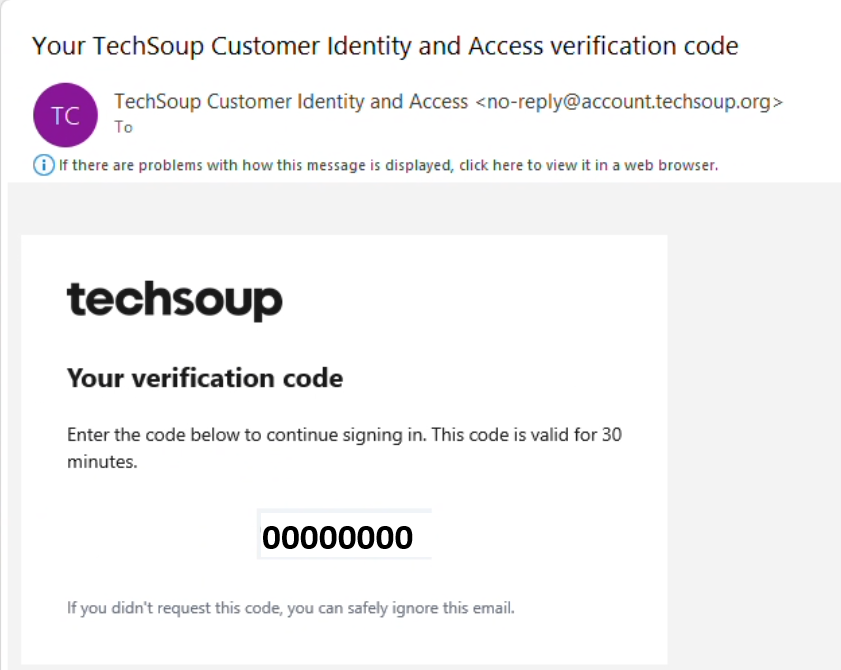
5. Follow the instructions to create a new password.
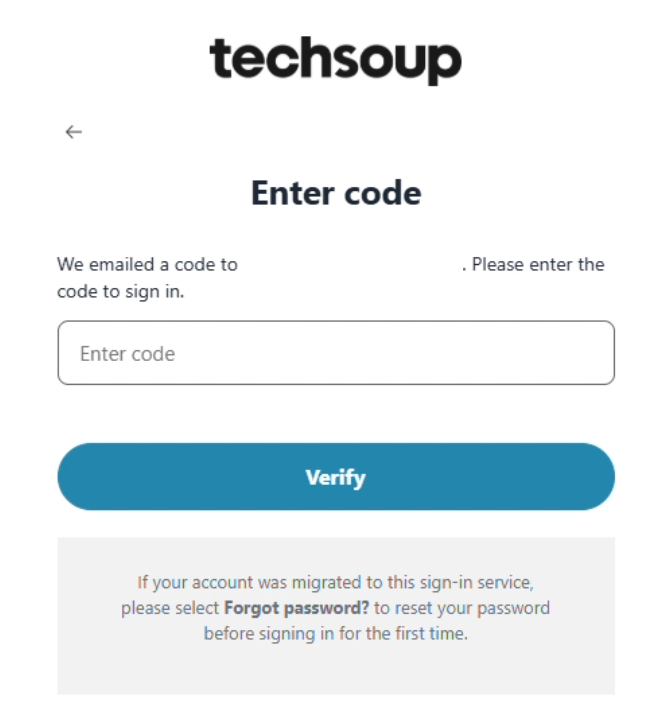
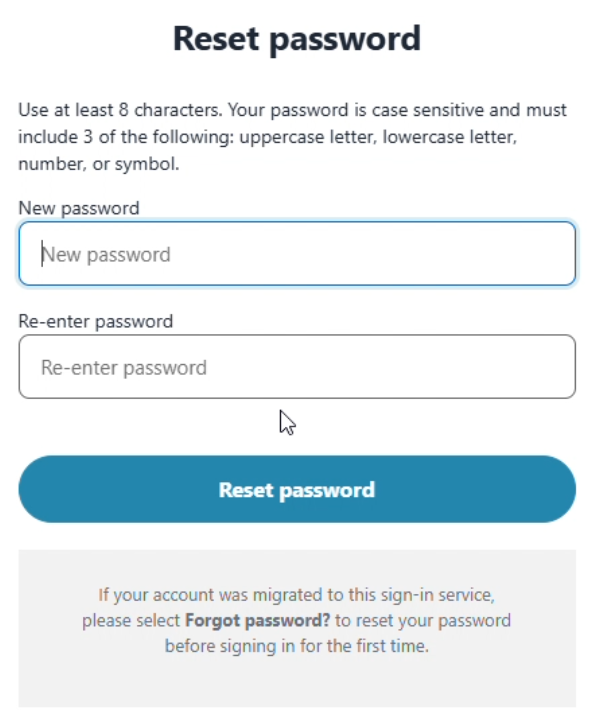
6. Return to Hive Mind and sign in using your email address and new password.
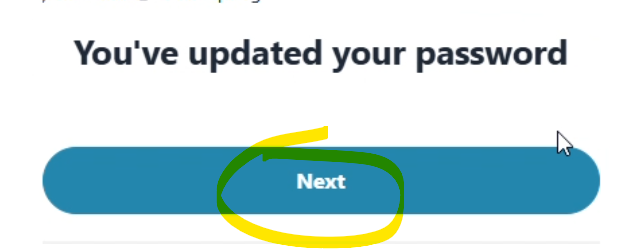
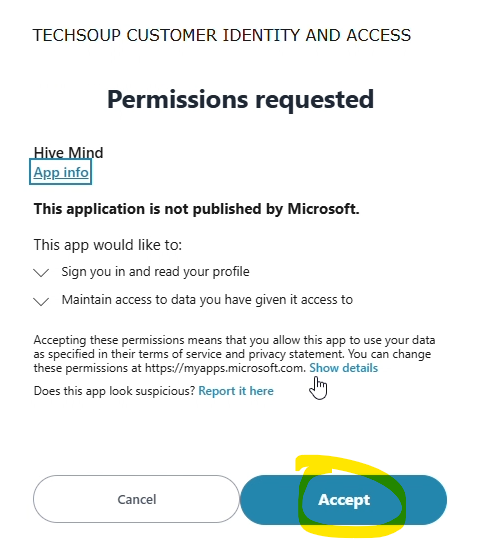
Your profile, and activity history will remain available. Only your sign-in password needs to be updated.
Regarding this change, we updated Privacy Policy, available at https://en.hive-mind.community/privacy_policy
Having trouble signing in? Visit FAQ or contact us contact@hive-mind.community
FAQ
Why is Hive Mind moving to SSO?
We are updating the underlying sign-in system used by Hive Mind. This supports a more consistent and secure sign-in process and enables other TechSoup services to connect with the platform.
Will I need to create a new profile?
No. Your existing profile, and activity history will remain available. You will simply complete a quick one-time setup for the new sign-in experience.
Can I use my existing username?
Yes, you still use the same email address to log-in. You will just need to create a new password.
What email address should I use to access Hive Mind?
To access the Hive Mind, use the email you use to currently log in to Hive Mind.
When do I need to take action?
You will only need to take action after the SSO launch date is announced. The next time you log-in, you will be asked to change your password.
Will I lose my profile, or activity history?
No. Your existing Hive Mind information will remain available after the transition.
What happens if I don’t change my password?
You will need to change your password to access the Hive Mind.
What if I have trouble signing in?
Support resources and step-by-step instructions will be available at launch. You can also contact our support team at contact@hive-mind.community for assistance.
Why do I need to take this extra step?
The quick one-time setup allows us to move everyone to the new login system and towards a more seamless experience moving forward.